Common Website Mistakes 5: Manual Testing


In pretty much all projects I have been involved in, testing has made up for a significant amount of the overall effort. The vast majority of the tests were conducted manually and some broken features always made it to production. It is worth mentioning that this happened independent of the methodology, so even waterfall projects do not save you from these issues.
How much effort are we talking about?
I want to give two examples from clients so you have an idea of how much effort goes into testing. Note that these numbers only include user acceptance tests (UAT) and not testing during development.
Example 1
Client 1 has approximately one release per 6 months and testing is done by 2 people in 2-week batches before every release. This adds up to 40 days or 8 weeks of testing per year.
Example 2
Client 2 adheres to scrum with three-week-sprints and roughly 17 releases per year. Each sprint has a testing week, in which all departments are instructed to test their new features and find bugs in existing ones. This approach makes it harder to estimate the effort but it is easily half a day per department with 4 departments involved. This adds up to 34 days or roughly 7 weeks for testing per year.
It gets worse
Depending on the size of your solution, 7-8 weeks of testing does not sound bad, so what is the issue? While new features are thoroughly tested and normally work fine, regressions are often missed. Regressions are accidental changes that occur as side effects to desirable changes. With constant addition of new features (and rare retirement of existing ones), the testing effort constantly increases. Already repetetive and dull manual testing gets even more error-prone through time pressure: A perfect way to screw up your testing!
What you can do
Automate, automate, automate! The only reproducible, scalable solution is having your tests automated. You might think this requires a huge initial effort to set up, but I want to show you a simple and quick solution that typically brings a lot of benefit.
Visual Regression Testing
Visual regression testing specifically detects changes in appearance and is normally used to prevent unwanted design changes. The idea is to take a website screenshot in a certain state and compare it to another version to highlight differences. Depending on the quality of your test system you can compare the current release to the previous one or even UAT against your production environment. In any case, only a small fraction of the pages should have changed and testers can focus on investigating those.
How it could look
That was quite abstract, so let me show you an example.
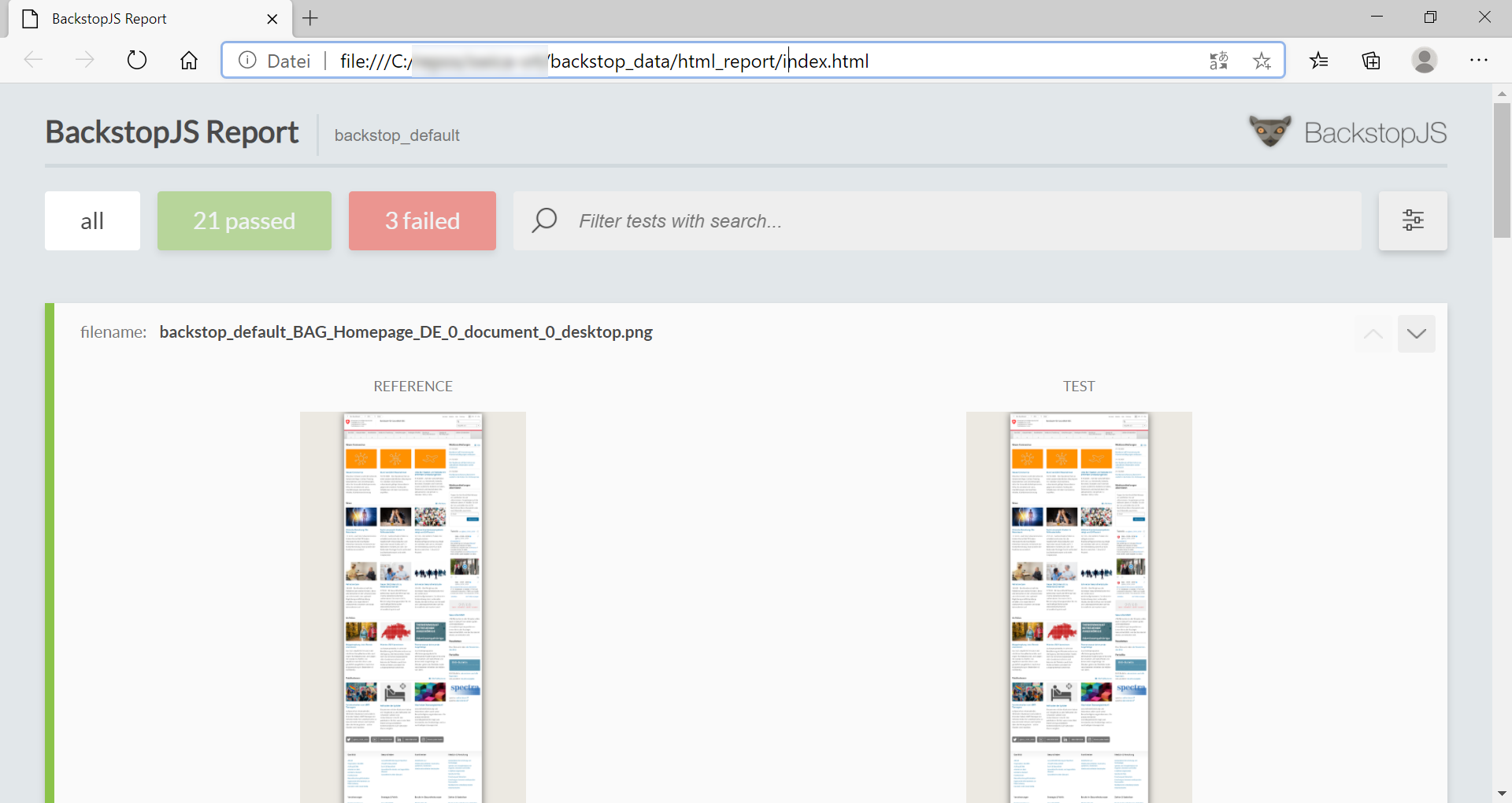
What you see here is a BackstopJS report, stating that 21 of 24 screenshots looked exactly as before. Below the summary you see the list of comparisons between the reference version (that I saved earlier) and the version "right now". Selecting the red button in the upper area filters the comparisons to only "failed" tests, which you can further investigate.
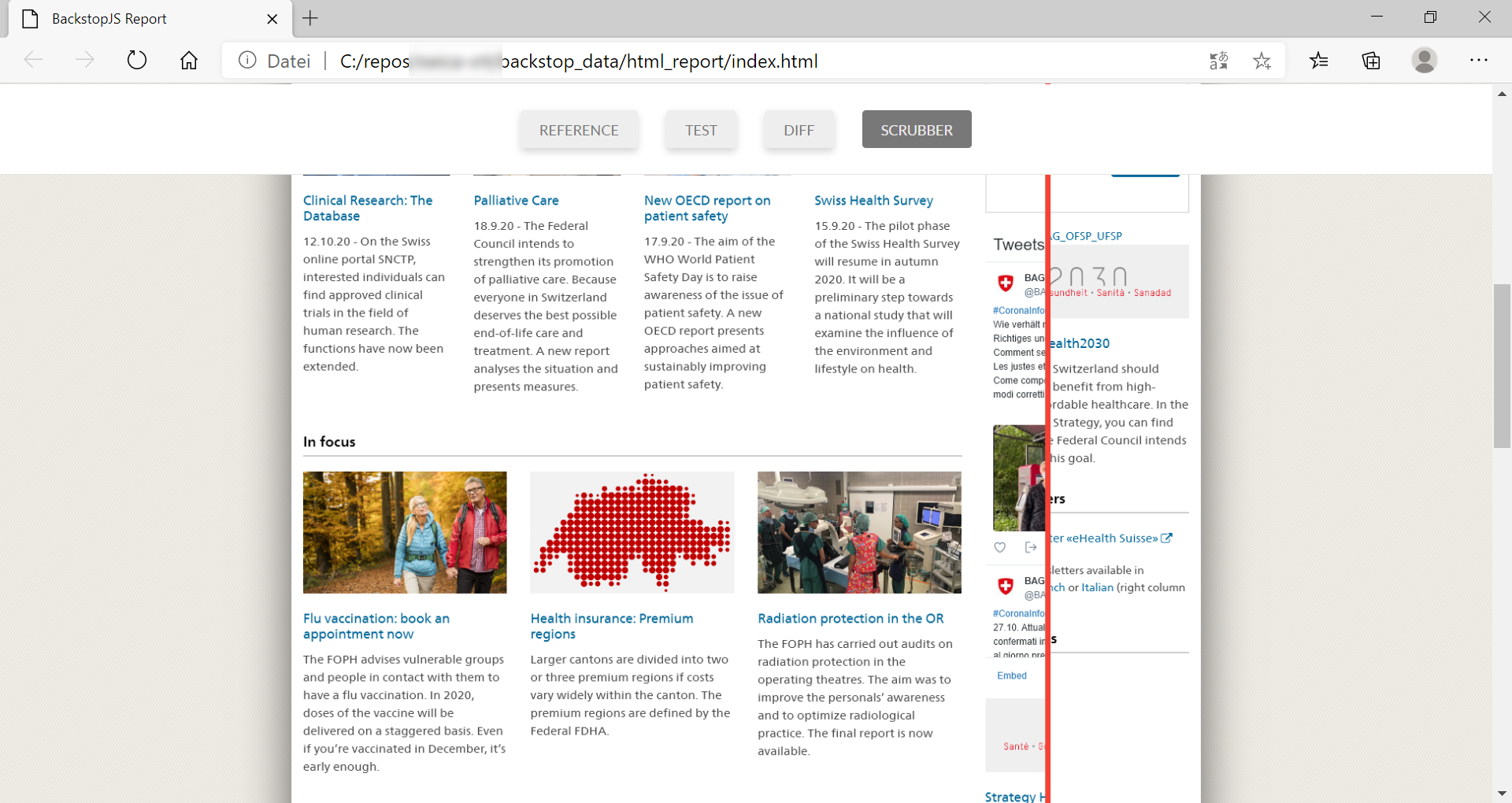
In the details view, you can use the scrubber (the red line) to see differences at once. In the given example, the Twitter feed is different, so that modification is okay for me. I can now approve the changes, making them the reference for future comparisons.
The Benefits
If you are still unsure about the benefits of this tool: I ran this test against 8 pages of the Federal Office of Public Health of Switzerland in 3 device resolutions. The test took me approximatey 20 minutes to create and takes less than two minutes per run. Covering more pages is as easy as pasting additional URLs. Imagine having 500 pages automatically tested on every deployment and only having to manually look at 10!
What do you think?
Do you agree? Did you experience situations where printing culture slowed down your publication process? Is this article helpful and would you enjoy similar content? Let me know in the comments.
Acknowledgements
Photo by Maranda Vandergriff on Unsplash